Block waste without blocking value.
Stop the patterns that bleed budget. Keep the queries that still convert.
Get Started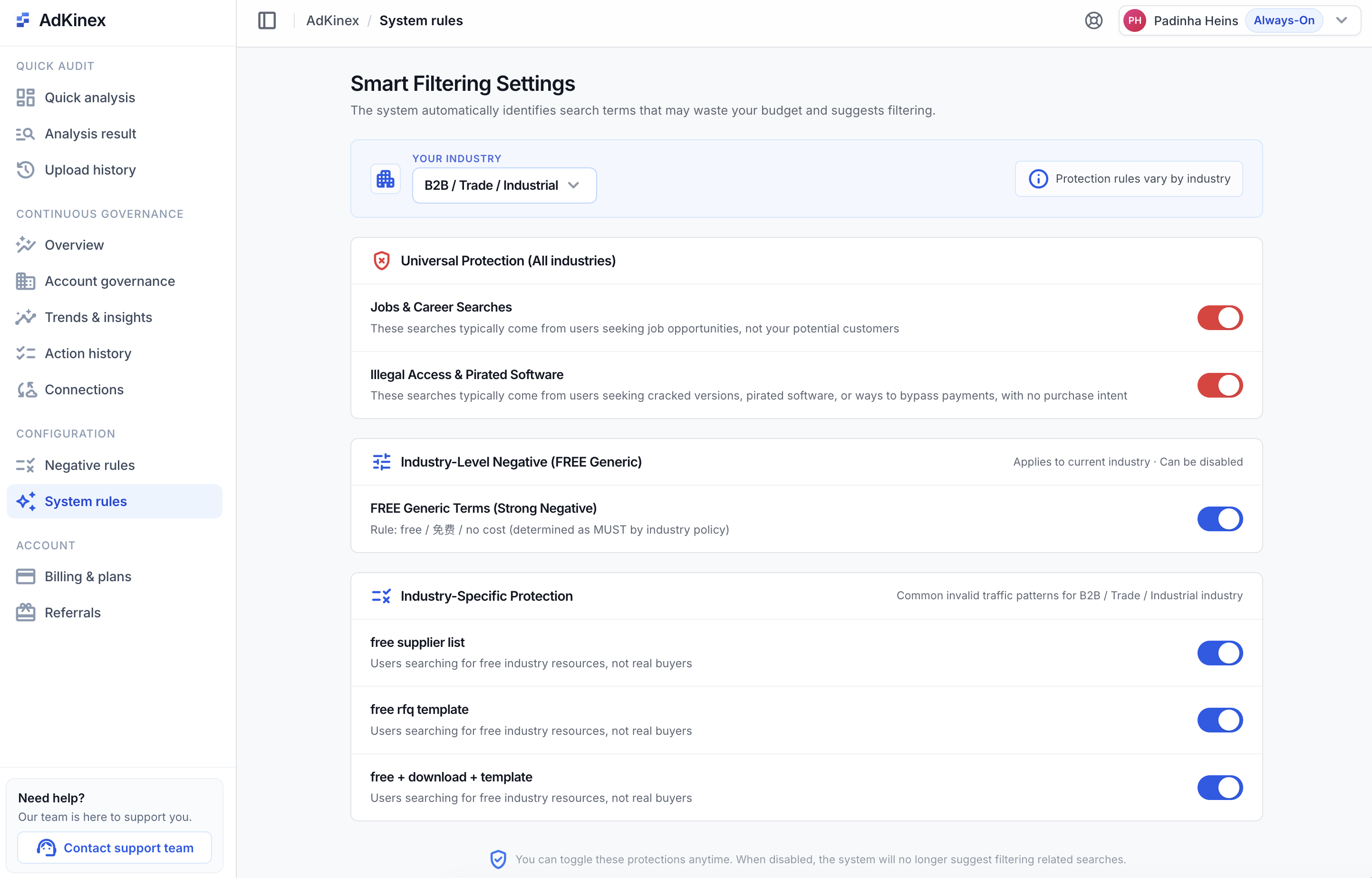
Negatives that know when to stop.
Wasted spend gets paused for 7 or 14 days, then released. Intent mismatches stay blocked. Every action is logged, searchable, and traceable.
Filter by intent, not just exact match.
Your business context tunes the rules and protected terms — so mismatched intent surfaces with the right severity, not as a flat block list.
Block with control, never by accident.
AdKinex automatically flags terms with both waste and conversion signals as Conflict, and routes them to human review instead of auto-negating — so valuable traffic is never cut by accident.
Both waste and conversion signals — routed to human review, not auto-negated.
Start with proven exclusion strategies.
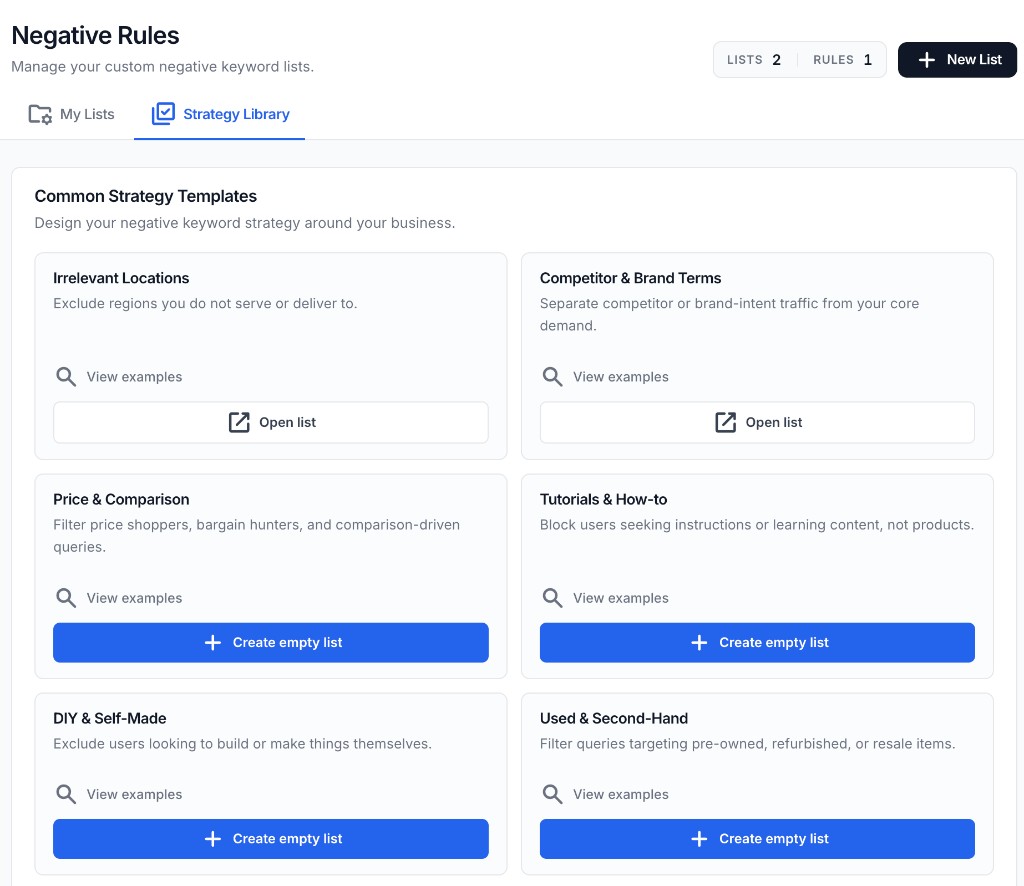
Strategy Library
Start from proven exclusion patterns.
Choose structured templates for locations, competitors, bargain hunters, tutorials, and second-hand traffic before a rule is created.
Rule Workspace
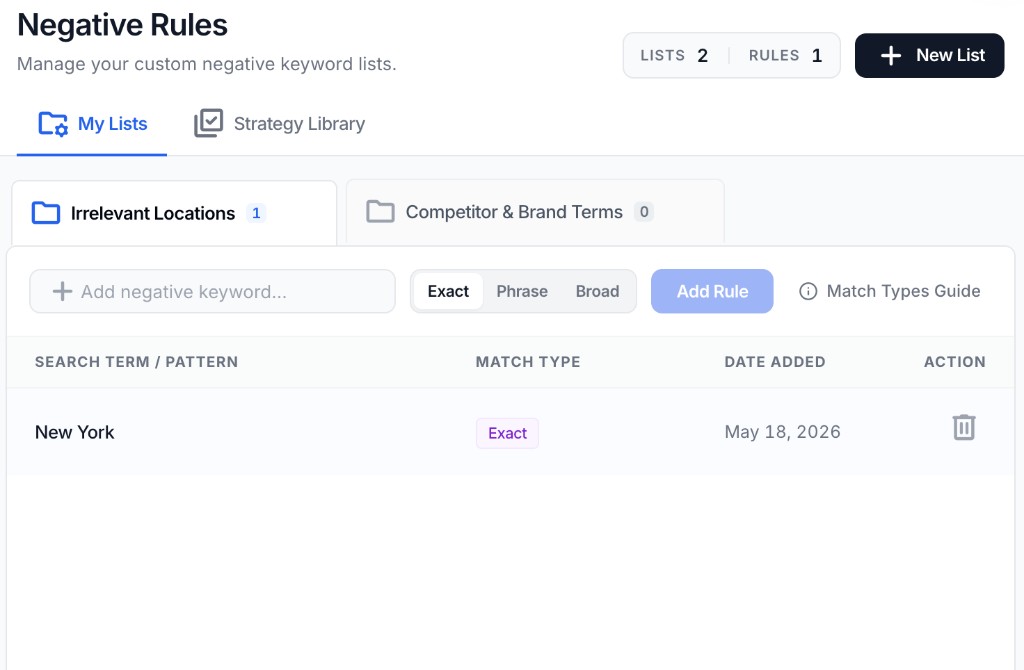
Turn the strategy into governed rules.
Keep every exclusion tied to a named list, match type, and action state so your account is governed instead of patched manually.
Built for safer negative keyword decisions.
Not every expensive term is waste. AdKinex checks spend pressure, conversion evidence, and intent fit before recommending a negative.
High spend is not enough
A search term is not marked unsafe just because it spent money. AdKinex looks for evidence before escalation.
Conversion context stays visible
You can see whether a term has conversion signals, weak evidence, or conflicting intent before taking action.
You approve the push
Negative keyword actions are reviewable before they are sent to Google Ads.
Frequently asked questions
How is this different from Google's negative keyword recommendations?+
Google's recommendations are platform-level. AdKinex makes the call at the ad-group level — through three guardrails: waste pressure, protection strength, and judgment confidence.
Will AdKinex block converting search terms automatically?+
No. AdKinex never auto-applies. Every recommendation runs through three guardrails, then waits for your approval. Approved negatives are applied at the ad-group level, EXACT match.
How does AdKinex reduce the risk of misfires?+
It checks for overlaps with protected terms, historical converters, and business-context rules before exclusions are finalized, helping you catch risky negations before they become account changes.
Can I use my own rules and exclusions?+
Yes. AdKinex supports custom rules and reusable logic so your filtering system reflects your business model, not just default assumptions.