See the real value behind every search term.
AdKinex reads every search term through three guardrails and tells you what to keep — and what to stop.
Get Started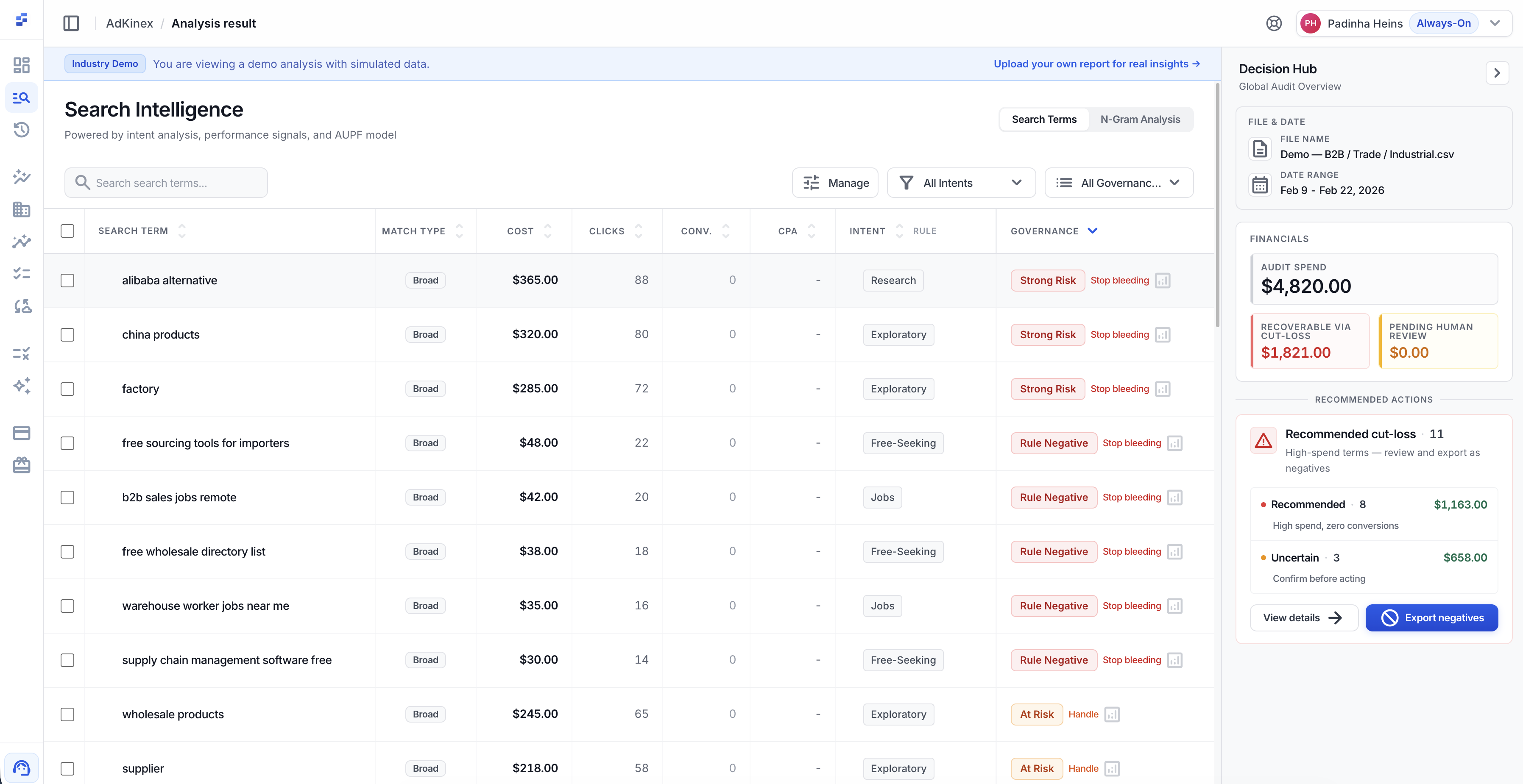
From signals to safe action.
Stop looking at CTR and CPA in isolation. AUPF reads four signals from your account, then runs three guardrails to decide what’s safe to act on.
- Grounded in your own account baseline
- Weighted dynamically by your industry
- Isolates zero-conversion terms for separate handling
Know what to keep — and what to stop.
Every term lands in one of six states — from Core Protected performers to Strong Risk waste. Each state tells you the safest next move.
- Clear categorization from Core Protected to Strong Risk
- Actionable advice for each state
- Quickly identify high-risk spend
Understand the "why" behind the search.
AdKinex tags every term with its true intent—from Commercial and Competitor to Jobs and Free. This context drives better scoring and safer filtering.
- 9 distinct intent categories
- Helps prevent accidental blocking of informational terms
- Exposes misaligned traffic instantly
Search term intent classified based on user motivation.
Find the roots of waste and growth.
AdKinex extracts N-Gram root patterns from your search terms, instantly showing you which word combinations drive high-value traffic and which ones silently drain your budget.
- Aggregate performance by root word
- Visual governance mix bars for every pattern
- Identify systemic waste at scale
Built for decisions, not another report.
AdKinex turns raw search terms into clear traffic states, so teams can see what deserves budget, what needs watching, and what should be removed.
Less spreadsheet scanning
Search terms are organized into decision-ready states instead of leaving you with another export to review manually.
Patterns become visible
AdKinex helps surface where spend pressure, weak intent, or conflicting signals are concentrated.
Every insight points to an action
The goal is not just to describe traffic. It is to show what should be protected, observed, escalated, or removed.
Frequently asked questions
What is AUPF?+
Four signals AdKinex reads from your account — Alignment, Utility, Performance, Fit. They feed three guardrails that tell you what action is safe.
Does AdKinex connect directly to my Google Ads account?+
Yes. We connect via the Google Ads API and also support CSV/TSV uploads. The only write action is ad-group-level EXACT-match negatives — and only after you approve each one.
What are the 6 governance states?+
Core Protected, Protected, Observe, Conflict, At Risk, Strong Risk. Each tells you what action is safe at the ad group — keep, hold, or stop.
Does it support Performance Max (PMax) campaigns?+
Currently, AdKinex focuses on Search Campaign data. PMax analysis is not supported at this time.
Stop guessing. Start seeing what your data actually says.
Connect your account and turn raw Google Ads data into decision-grade intelligence.